EZ Wave
A downloadable Audio Recorder Editor for Windows
Welcome Audio Enthusiasts!
Since I needed a quick way to record audio, crop and drag audio segments and export, and...
Since each app has its own personality and I wasn't finding what I was looking for, I made EZ Wave!
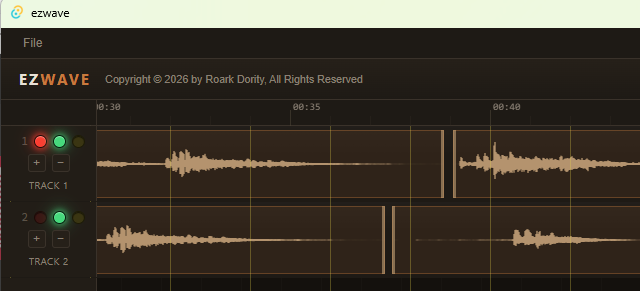
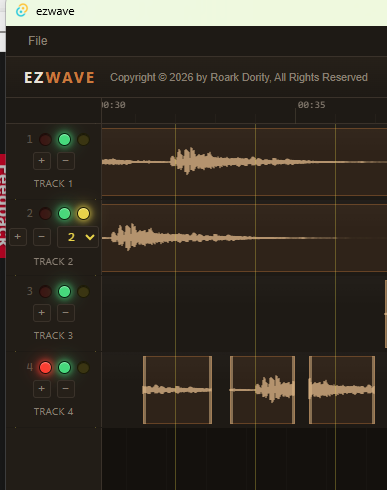
Click + to add tracks. Arm one track for recording. Make sure your mic is the correct one in settings (sound check)!
Click in any track to import existing audio (wav or mp3).
Bonus features:
o Export to wav or mp3 format
o Crop tracks on either end by click/dragging the edge inward.
o Drag Clips along track or from one track to another.
o Hold the Alt key and drag to duplicate an audio segment!
o Hi-lite section of clips on track and cut or copy to paste elsewhere.
o Red LED arms a track for recording; Green for playing. Yellow replicates the first clip, by first rounding up to the nearest time marker. Specify the number of copies using the dropdown list (1-10).
You can think of EZ Wave as being like the notepad or Irfanview of audio editing.
I hope you Love it!
Download
Click download now to get access to the following files:

Leave a comment
Log in with itch.io to leave a comment.